Skip to content
    • Creative BoardThe multiplayer canvas a campaign is built on: wired cards, every model, templates in one click and the price on every Run.
    • MotionThe motion engine: captions with real typography, kinetic type and motion graphics, from the finish card, Story and Prompt to Motion.
    • Templates· HEREBoards named for what they make: product reveals, video ads, social clips. Each arrives with finished samples, and opening one is free.
    • ModelsEvery video and image model on Vessero, with the credits each one costs before you run it.
    • AppsCampaign workflows packaged to run again: paste a product link, pick a presenter, and the finished ads come out.
    • Brands & e-commerceBuild the hooks, demos and cut-downs for a launch on one board, test more than one idea, and see what every run costs before it runs.
    • AgenciesPitch directions side by side before the shoot, direct the client’s pick to a finished cut on a shared board, and price every round first.
    • App & SaaSWrite, voice and cut hook variations for install ads and explainers, in every shape the feeds want, priced before they run.
    • CreatorsNarrated shorts, consistent characters, B-roll, music beds and thumbnails at the cadence a channel needs, without a crew.
  • Templates
  • Pricing
    • FAQAnswers about templates, credits and plans, models, AI disclosure and your account.
    • TrustHow credits, refunds and AI disclosure work: what the product enforces today, and what is coming.
    • GuidesGuides to UGC ad hooks, 30-second scripts, creative testing, aspect ratios and the FTC rule on AI presenters.
    • ChangelogEvery change to Vessero you can see, with the date it shipped.
    • Free toolsA free hook generator and UGC script generator for ad writers. No account, no credits, nothing stored.
    • CompareVessero side by side with Arcads, Creatify and Higgsfield: what each offers and costs, and where each is the better choice. Dated and linked.
    • AboutWhat Vessero is, who it is for, and the principles it is built on.
    • ContactTalk to the Vessero team about your account, plans for teams, or a partnership.
    • AffiliatesEarn 25% of every subscription payment for a customer’s first 12 months. For creators, agencies and educators who teach people to make ads and video.
Sign inStart
Start

Vessero turns a product link into a campaign: UGC-style videos, ads and content, cast with presenters who look like your customers and finished with real motion design, on one canvas your team can direct.

People in our videos are AI actors unless we say otherwise.

Product

  • Creative Board
  • Motion
  • Templates
  • Models
  • Pricing
  • Apps

Solutions

  • Brands & e-commerce
  • Agencies
  • App & SaaS
  • Creators

Resources

  • FAQ
  • Trust
  • Guides
  • Changelog
  • Free tools
  • Compare

Company

  • About
  • Contact
  • Affiliates

Legal

  • Privacy Policy
  • Terms of Service
  • Cookie Policy
  • Delete your data
  • Security
  • Legal notice

© 2026 Vessero · A product of Forgutti Unipessoal Lda

hello@vessero.com
  1. Templates
  2. /
  3. How-to in three steps

Social media template

How-to in three steps

The assistant writes three steps; each becomes a still and a shot, and a voiceover walks through them.

5 stages · 11 cards · 6 finished samples

Use this templateAll templates

Opening it is free. Nothing is charged until you press Run on a card.

Made with this template · Veo 3 Fast · 4s · 720p

What it makes

Every card arrives already run.

These are the outputs the board ships with, each made from the prompt on its card. Run any card again and it makes a new take from the same wires.

  • Still from the How-to in three steps template: Show only step 1 — vertical close photo from above: two hands tip a pothos out of a small plastic nursery pot and gently loosen its roots over a wooden kitchen table, a little soil scattered. Soft daylight. No text.
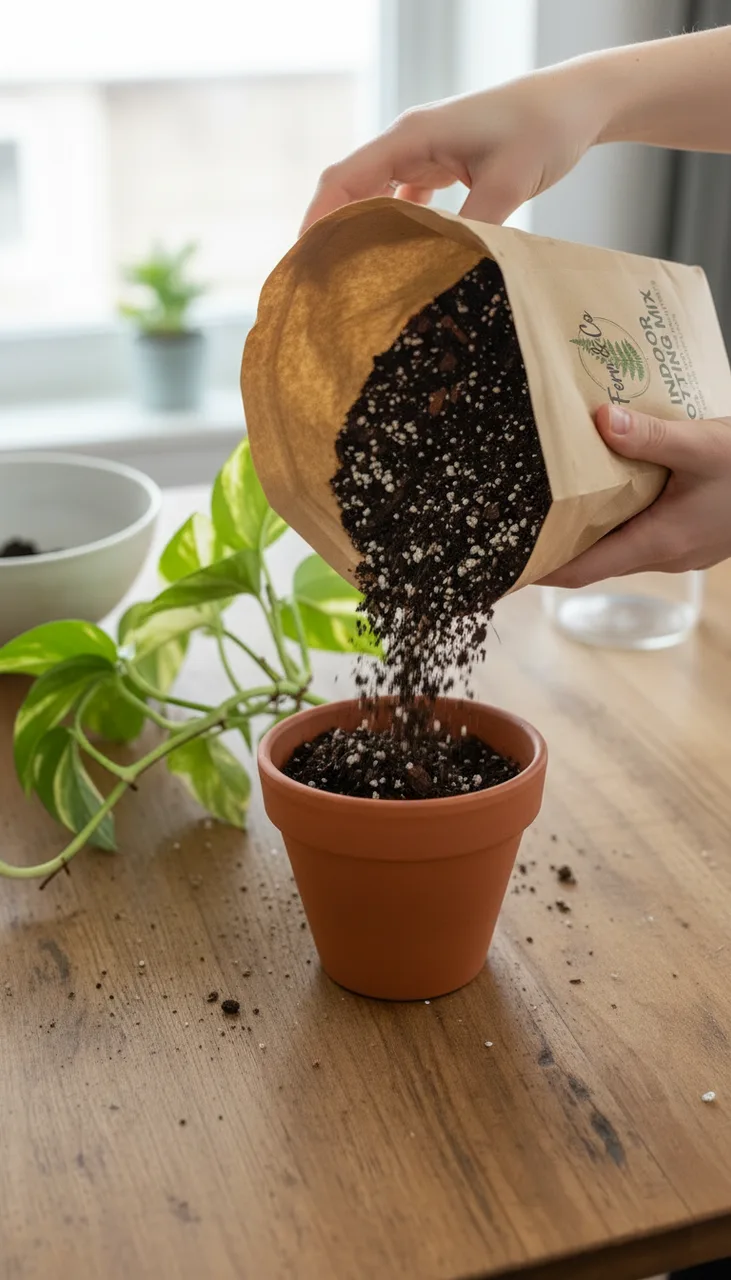
    Image · Nano Banana · Still

    Show only step 1 — vertical close photo from above: two hands tip a pothos out of a small plastic nursery pot and gently loosen its roots over a wooden kitchen table, a little soil scattered. Soft daylight. No text.

  • Still from the How-to in three steps template: Show only step 2 — vertical close photo on the same table as reference image 1: hands pour dark, chunky potting mix from the kraft bag in reference image 2 into a terracotta pot, the pothos waiting beside it. Soft daylight. No text.

    Image · Nano Banana Edit · Still

    Show only step 2 — vertical close photo on the same table as reference image 1: hands pour dark, chunky potting mix from the kraft bag in reference image 2 into a terracotta pot, the pothos waiting beside it. Soft daylight. No text.

  • Still from the How-to in three steps template: Show only step 3 — vertical close photo on the same table and in the same light as the reference, a moment later: the pothos is now planted in the terracotta pot, its stems rising out of the fresh dark mix, and a small brass watering can pours water onto the soil around it, droplets on the leaves. No text.
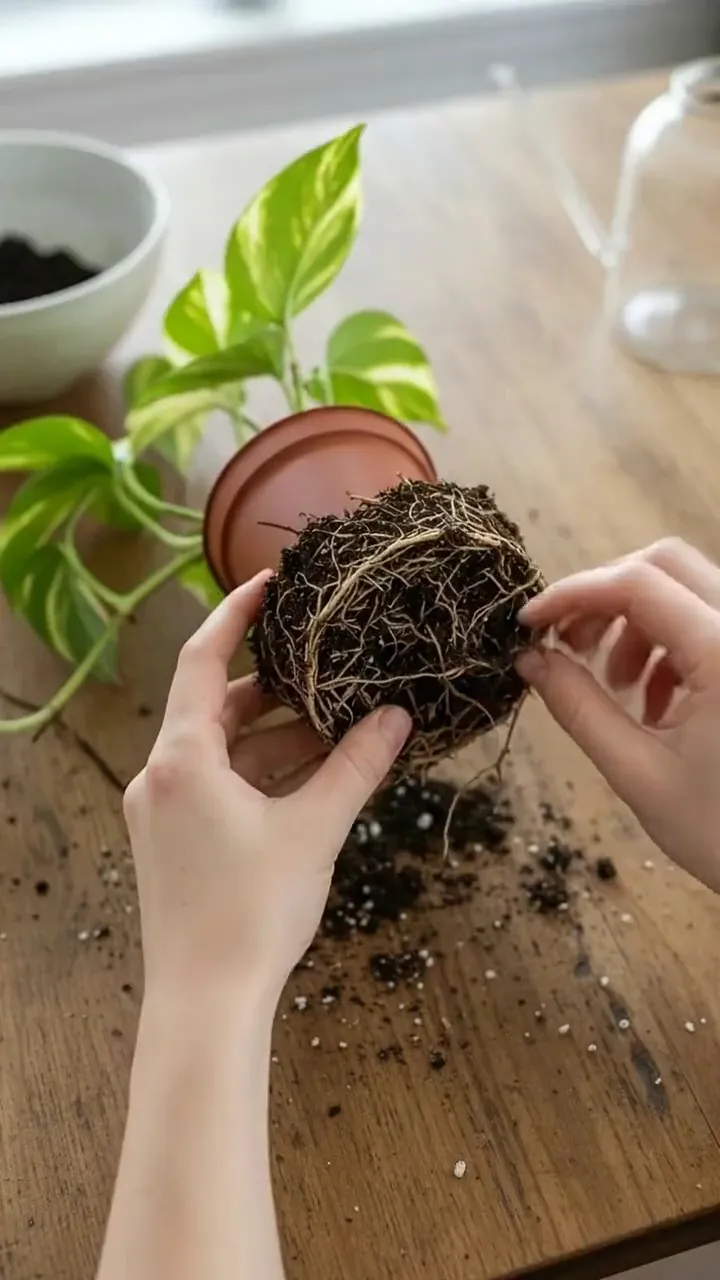
    Image · Nano Banana Edit · Still

    Show only step 3 — vertical close photo on the same table and in the same light as the reference, a moment later: the pothos is now planted in the terracotta pot, its stems rising out of the fresh dark mix, and a small brass watering can pours water onto the soil around it, droplets on the leaves. No text.

  • Clip from the How-to in three steps template: Close handheld vertical video: the hands ease the root ball apart and soil crumbles onto the table. Sound: soft soil, a quiet kitchen. No music, no on-screen text.
    Video · Veo 3 Fast · 4s · 720p

    Close handheld vertical video: the hands ease the root ball apart and soil crumbles onto the table. Sound: soft soil, a quiet kitchen. No music, no on-screen text.

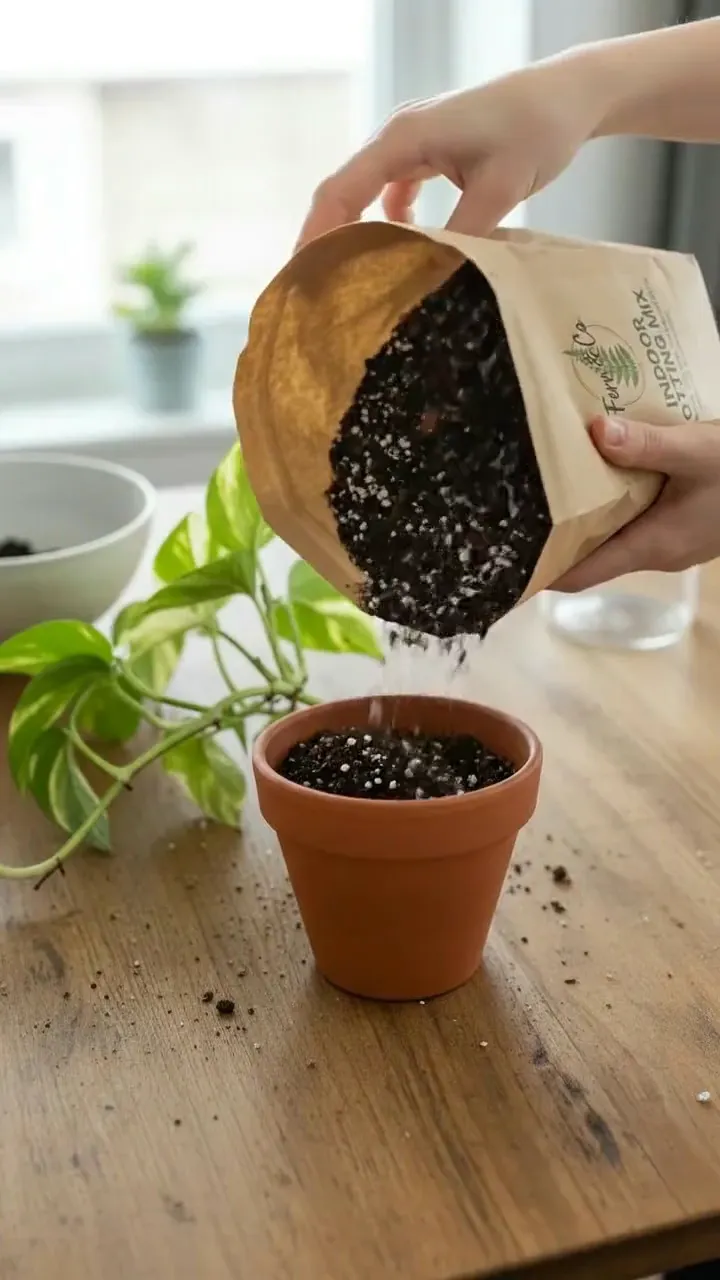
  • Clip from the How-to in three steps template: Close handheld vertical video: the mix pours from the bag into the pot, then the hands settle the plant in and press the soil around it. Sound: soil pouring. No music, no on-screen text.

    Video · Veo 3 Fast · 4s · 720p

    Close handheld vertical video: the mix pours from the bag into the pot, then the hands settle the plant in and press the soil around it. Sound: soil pouring. No music, no on-screen text.

  • Clip from the How-to in three steps template: Close handheld vertical video: water streams from the brass can onto the soil and beads on the leaves. Sound: gentle pouring water. No music, no on-screen text.

    Video · Veo 3 Fast · 4s · 720p

    Close handheld vertical video: water streams from the brass can onto the soil and beads on the leaves. Sound: gentle pouring water. No music, no on-screen text.

The stages

How the board runs.

  1. 01

    Topic

    The product and the steps. The assistant writes three steps a viewer can follow in fifteen seconds — each one action, each one shot.

  2. 02

    Three stills

    One still per step, in order: each reads the steps but shows only its own, and each takes the one before as a reference, so the plant and the table carry through.

  3. 03

    Three shots

    Each shot opens on its still, four seconds a step, and the voiceover names each step as it plays.

  4. 04

    Voiceover

    The assistant turns the steps into 15 seconds of voiceover, and the voice card reads it aloud.

  5. 05

    Finish

    The finish cuts the three shots in order and captions the voiceover over them — "One… Two… Three…" is what the viewer reads — then calls out the mix and its price from the product card. Once the voice card has run, drag it onto the Audio port. The hands are AI-generated, so the ad is labelled.

Cards it uses

  • Product
  • Assistant
  • Image
  • Video
  • Voiceover
  • Finish

Each generator shows its price before it runs, and picks its own model.

How the canvas works

More social media

Related templates.

  • Clip

    Social media · 2 stages

    Narrated social clip

    A script becomes a voiceover, a key visual and a vertical clip — the parts of a short.

  • Social media · 3 stages

    Social thumbnails

    A topic becomes three hook lines and three thumbnails to test against each other.
  • Clip

    Social media · 4 stages

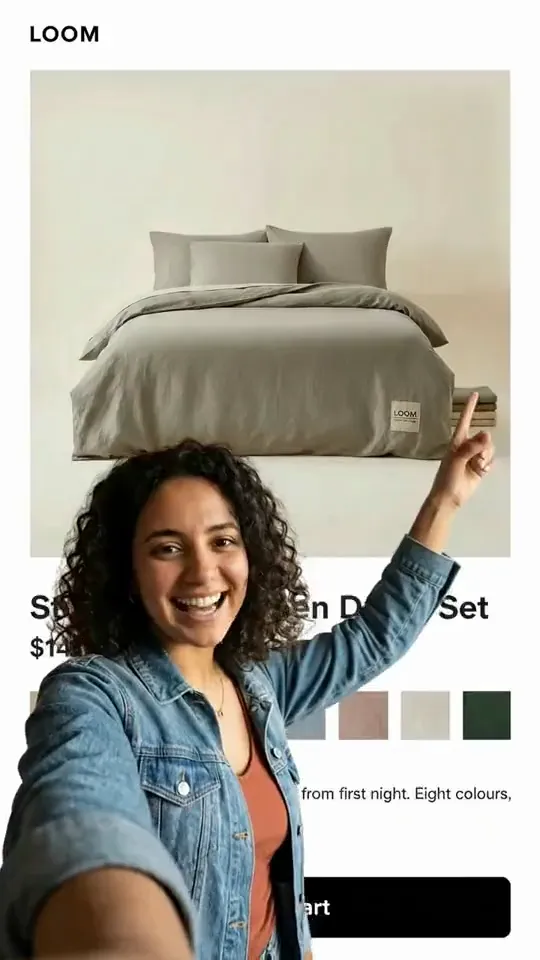
    Green-screen reaction

    A presenter in front of the product page, pointing at what matters — the creator format, from one screenshot.